

On this page(19)
- What Is a Data Pipeline?
- How a Data Pipeline Works: Ingestion, Transformation, and Delivery
- What Is a Data Pipeline Used For?
- Types of Data Pipelines: Batch, Streaming, and Hybrid
- Data Pipeline vs ETL vs ELT: How They Differ
- Data Pipeline Tools: Building In-House vs Buying a Managed Platform
- What Does a Data Pipeline Actually Cost to Build and Run?
- Why Data Pipelines Fail and How to Keep Them Reliable
- How AI and LLM Workloads Are Changing Data Pipeline Design
- Who Needs a Data Pipeline and When a Simpler Setup Is Enough
- Frequently Asked Questions About Data Pipelines
- Is a data pipeline the same as ETL?
- What is an example of a data pipeline?
- Is SQL or Python used for data pipelines?
- What is the difference between a data pipeline and a data warehouse?
- Is Apache Airflow a data pipeline tool?
- Is AWS Data Pipeline still available?
- Can AI build a data pipeline?
- Where to Start With Your First Data Pipeline
A data pipeline is an automated set of steps that moves data from its sources to a destination, often cleaning or reshaping it in transit. This guide covers how the stages fit together, how pipelines differ from ETL and ELT, which data pipeline tools do which job, what drives the cost, and why pipelines fail. As of November 2026, no formal standard defines the term, and AI workloads are adding new steps and new legal duties to the work.
Four numbers to know before you read on:
- Incorrect data types caused 33% of data-related pipeline issues in the 2023 study by Foidl, Golendukhina, Ramler and Felderer, the newest peer-reviewed measurement of root causes.
- Data cleaning was the stage with the most data-related issues in that 2023 study, at 35%.
- Integration and ingestion made up 47% of developer questions about pipelines in the same 2023 study.
- State-of-the-art AI agents succeeded on under 20% of tasks in the December 2025 DAComp data-engineering benchmark.
What Is a Data Pipeline?
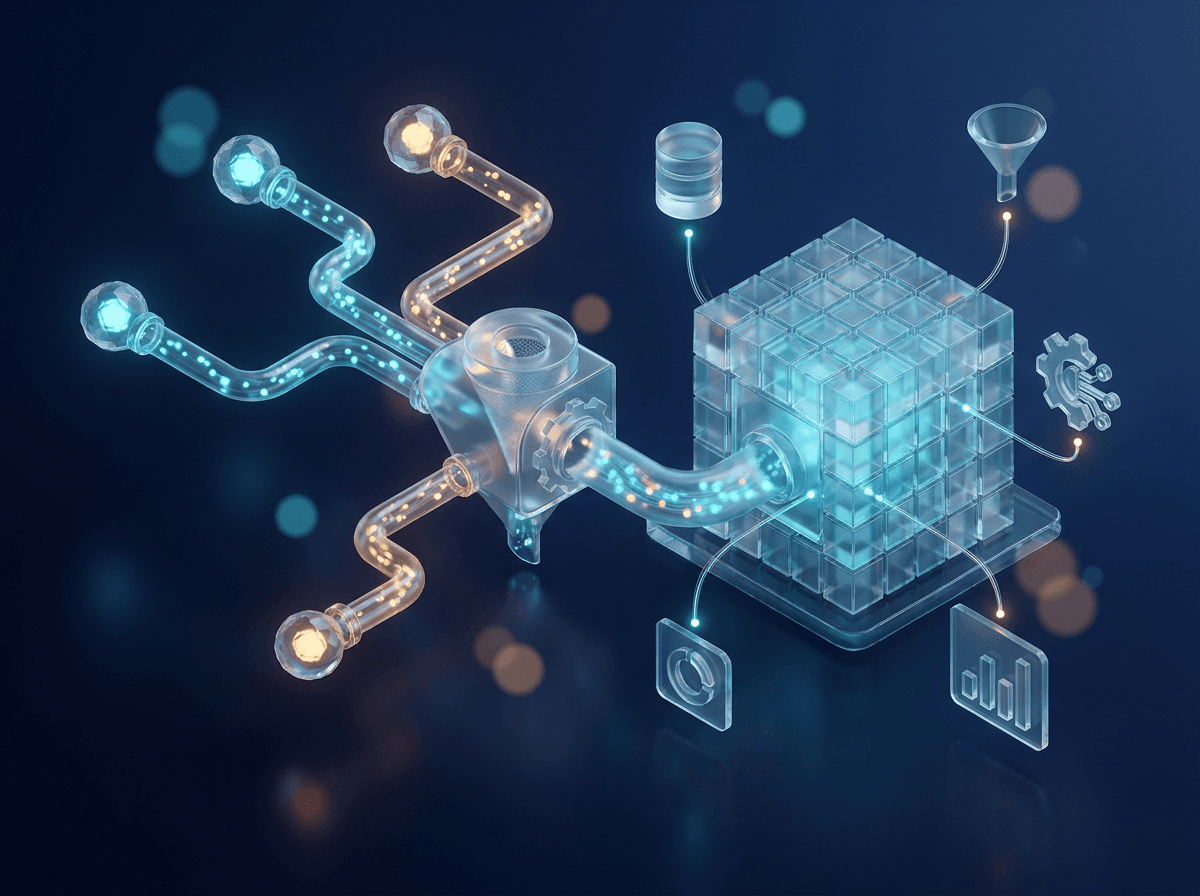
A data pipeline is an automated sequence of steps that moves data from one or more sources, optionally transforms it along the way, and delivers it to a destination. That’s the whole idea. The rest is detail about where the data starts, what happens to it in transit, and where it lands.
“Optionally” matters more than it looks. Some pipelines copy data as-is. Others join and enrich several datasets before anything reaches the destination, and both count as pipelines.
Three of the largest vendors describe the concept in nearly the same terms:
- IBM: IBM’s data pipeline explainer, updated in June 2026, describes a system that collects raw data from several sources, transforms it, and loads it into a store such as a data lake or warehouse.
- Google: the Dataflow documentation says data “moves through a series of stages”, reading from a source, transforming or aggregating, then writing to a destination.
- Microsoft: the Azure Architecture Center’s 2025 guidance describes organizations gathering data from multiple sources in various formats and moving it to one or more data stores, often cleaning or shaping it first.
Notice what’s missing. No single formal standard defines the term, so the working definitions come from vendor documentation and academic papers. That’s why two engineers can use “pipeline” for slightly different things and both be right.
One naming trap to avoid: “AWS Data Pipeline” is a specific Amazon product, which AWS’s own documentation says is in maintenance mode and closed to new customers. Treat it as a product name and keep it apart from the general concept.
How a Data Pipeline Works: Ingestion, Transformation, and Delivery
A data pipeline works by passing data through three core stages (ingestion, transformation, and storage or delivery) while an orchestration layer decides when each step runs and in what order. IBM names those three stages. Microsoft’s big data architecture guide, updated in November 2026, adds orchestration and an analytics and reporting layer around them.
What could a custom AI agent take off your plate?
We build production-grade AI systems that quietly handle the busywork, so your team can focus on the work that actually matters.
A record passes through four stops:
- Sources: Data begins in the systems that produce it. Most pipelines read from more than one, and the formats rarely match.
- Ingestion: The pipeline reads raw data from each source and pulls it in.
- Transformation: IBM lists four common operations. Filtering drops records you don’t need, masking hides sensitive values, standardizing puts fields into one format, and aggregating rolls detail up into totals. A pipeline can skip this stop entirely.
- Storage and delivery: The pipeline writes the result to a destination, typically a data lake or warehouse, where analytics and reporting tools pick it up.

Orchestration is what turns those stops into a system. Apache Airflow’s documentation calls Airflow “an open-source platform for developing, scheduling, and monitoring workflows.” You write each workflow in Python as a Dag, which bundles the schedule, the tasks, and the dependencies between them.
Microsoft’s ETL guidance draws a useful line here between control flow and data flow. Control flow enforces the order of tasks through precedence constraints, so one task waits for another. Data flow is the extract, transform and load work itself, and it runs as tasks inside the control flow. On a whiteboard the stages form a straight line. In a real build, one transformation often waits on several upstream loads, which is why dependency tracking gets a layer of its own.
What Is a Data Pipeline Used For?
A data pipeline is used to move data from the systems that create it to the people and tools that need it, automatically, for analytics, real-time monitoring, operational tools and audited reporting. Those four uses cover most of what you’ll meet in practice.
| Use | What the pipeline does | Typical examples |
|---|---|---|
| Analytics and reporting | Consolidates many sources into a warehouse or lake | Dashboards, business reports |
| Real-time response | Processes events as they arrive | Fraud detection, equipment monitoring, live dashboards |
| Reverse ETL | Sends modeled data back to operational tools | CRM and marketing systems |
| Reproducible reporting | Reruns a coded workflow for identical results | Audited statistics |
Consolidation is the classic case. A company’s data sits in many systems, and nobody can report across them until it’s in one store. The real-time uses are different in kind: Microsoft’s 2025 guidance names fraud detection, equipment monitoring and real-time dashboards, where the answer loses value within seconds.
Reverse ETL runs the other way. It takes data that analysts have already modeled in the warehouse and pushes it into the tools sales and marketing teams work in every day, such as a CRM.
Reproducible analytical pipelines get less attention than they should. The UK Analysis Function’s guidance on reproducible analytical pipelines defines one as a coded workflow that anyone with the same source data can rerun and get the same results. It requires version control, dependency management, tests and a shared data source. The Analysis Function credits the approach with fewer manual errors, faster reruns and easier auditing.
I’d argue that last benefit is the one regulated teams in healthcare and financial services undervalue. Anyone who has rebuilt a quarterly report from a chain of spreadsheets knows why. Speed is nice. Getting the same number twice is better.
Types of Data Pipelines: Batch, Streaming, and Hybrid
Data pipelines come in three types: batch pipelines that run on a schedule, streaming pipelines that process each event as it arrives, and hybrid designs that do both. The choice is mostly about latency, meaning how old the data can be when someone uses it.
| Type | When it runs | Typical parts | Main trade-off |
|---|---|---|---|
| Batch | On a schedule | ETL or ELT jobs, an orchestrator | More reliable by default, data arrives later |
| Streaming | Continuously, as events arrive | A broker plus a stream processor | Low latency, weaker reliability without acknowledgements |
| Hybrid | Both at once | Lambda, Kappa or a unified model | Fresh and accurate, harder to run |
A streaming pipeline has two main parts. Events land in a broker such as Kafka or Azure Event Hubs, then a stream processor such as Flink or Azure Stream Analytics filters, aggregates and enriches them in motion. IBM’s explainer adds a caveat: streaming cuts latency, but it’s less reliable than batch unless the brokers use acknowledgements.
Delivery guarantees are the next decision. Google’s Dataflow documentation says streaming pipelines get exactly-once processing by default, and that an at-least-once mode can cut cost and latency when duplicates are acceptable. Ask that question early. A page-view counter can absorb a duplicate event, and a payments ledger can’t.
Hybrid designs take three forms:
- Lambda: Microsoft’s big data architecture guide, updated in November 2026, describes a batch layer (the cold path, accurate), a speed layer (the hot path, low latency) and a serving layer.
- Kappa: All data goes through a single stream-processing path, and the system recomputes results by replaying an immutable log.
- Unified model: Google’s Dataflow uses Apache Beam, one programming model for both batch and streaming pipelines.

Microsoft names Lambda’s weakness plainly: the same logic lives in two places, and both paths need managing. In practice the copies drift. Someone changes a business rule in the batch job, misses the speed layer, and the two paths report different totals for the same day. Vendor blogs often claim pure Lambda is fading, but no authoritative adoption data backs that up.
Two storage patterns often sit under these designs. Microsoft describes the lakehouse as combining the strengths of a data lake and a warehouse on open formats such as Parquet. The UK government’s January 2026 guidelines on AI-ready datasets recommend a bronze, silver and gold layered pattern for organizing the data inside.
Data Pipeline vs ETL vs ELT: How They Differ
A data pipeline is the broad category, while ETL and ELT are two specific kinds of pipeline that differ in where the transformation happens. IBM’s explainer puts the relationship simply: every ETL pipeline is a data pipeline, but many data pipelines aren’t ETL. It gives three reasons a pipeline can fall outside ETL:
- Order: a pipeline doesn’t have to extract, then transform, then load.
- Timing: a pipeline can run as a stream as well as in batches.
- Transformation: a pipeline may only move data and change nothing.
ETL (extract, transform, load) is a data integration process that consolidates data from diverse sources into one store. The transformation runs in a separate engine, usually with staging tables, before anything loads. Microsoft’s 2025 ETL and ELT guidance lists the typical operations as filtering, sorting, aggregating, joining, cleaning, deduplicating and validating.
ELT flips the last two steps.
ELT differs from ETL “solely in where the transformation takes place.”
Microsoft Learn, Azure Architecture Center, 2025
Raw data loads first, and the target store does the transforming. Microsoft attaches a condition: ELT works well only when the target is powerful enough to transform data efficiently.
| Approach | Where transformation runs | Best fit, per Microsoft’s 2025 guidance |
|---|---|---|
| Data pipeline (general) | Anywhere, or not at all | Any automated data movement |
| ETL | A separate engine, before loading | Constrained targets, complex business rules, compliance audits of staged data |
| ELT | Inside the target, after loading | Warehouses or lakehouses with elastic compute, keeping raw data, using the target’s native capabilities |
You’ll hear that ELT has made ETL obsolete. Microsoft’s guidance doesn’t support that. It treats the choice as situational, and a regulated team that must audit staged data before it loads has a sound reason to keep ETL. The same goes for any target system too constrained to carry heavy transformations itself.
Data Pipeline Tools: Building In-House vs Buying a Managed Platform
Data pipeline tools fall into four categories (orchestrators, processing engines, message brokers and managed cloud services), and the build-or-buy choice trades control against the engineering time you can commit. Most working pipelines combine several categories, so the first job is knowing which tool does what.
| Category | Job | Examples |
|---|---|---|
| Orchestrators | Schedule, sequence and monitor tasks | Apache Airflow |
| Processing engines | Transform and aggregate the data | Apache Beam, Apache Flink |
| Message brokers | Take in events ahead of the stream processor | Apache Kafka, Azure Event Hubs |
| Managed cloud services | Run pipeline work on a provider’s platform | Google Cloud Dataflow, Azure Stream Analytics |
The categories overlap. Dataflow is a processing service and a managed platform at once, and Event Hubs is a broker that Azure runs for you.
The orchestrator is the category people misread most. The Airflow 3.4.0 documentation is explicit that Airflow coordinates the work while other systems do the data processing, and it positions the tool for batch workflows with a clear start and end. A common early mistake is to run heavy transformations inside Airflow’s own tasks instead of handing them to an engine built for the job.
Building and buying differ on three points:
- Control: Building in-house lets you pick every component and write every rule. A managed platform makes many of those choices for you, and you work inside its model.
- Engineering effort: Building is a custom software engineering project, with design, code, tests and deployment all on your team. Buying removes much of the setup work.
- Maintenance burden: An in-house stack means your engineers handle upgrades and failed runs. With a managed platform the provider runs the infrastructure, though your transformation logic and data quality stay your problem.
Buying carries its own risk. AWS Data Pipeline, a managed product, is in maintenance mode and closed to new customers, according to AWS’s documentation. A managed service can stop evolving while your pipeline still depends on it.
My default advice is to buy the parts that look the same at every company, such as brokers and compute, and write the parts that are yours: the transformations and business rules. Few teams gain anything from running their own broker cluster. Every team has to own its definitions.
What Does a Data Pipeline Actually Cost to Build and Run?
A data pipeline costs money in five places: compute and storage, the engineering time to build it, ongoing maintenance, the delivery guarantees you choose, and technical debt that surfaces later. As of November 2026, no authoritative industry-wide figure exists for what a pipeline costs to build or run. Be wary of any single headline number, because at best it describes one vendor’s customers.
| Cost driver | What pushes it up | When you pay |
|---|---|---|
| Compute and storage | Always-on streaming jobs, heavy transformations, retained raw data | Every month |
| Build time | Many sources, mismatched formats, complex business rules | Up front |
| Maintenance and on-call | Failed runs, upgrades, source data that changes shape | For as long as it runs |
| Delivery guarantees | Exactly-once processing where duplicates would be tolerable | Every month |
| Technical debt | Duplicated logic, upstream data problems nobody caught | Months or years later |
The guarantee row is the easiest saving to miss. Google’s Dataflow documentation says streaming jobs get exactly-once processing by default, and that an at-least-once mode can cut both cost and latency when duplicates are acceptable. You pay for the stricter guarantee unless you opt out.
Compute shows up on an invoice. Engineering time doesn’t, which is why teams underestimate it. The build happens once, and the maintenance never stops.
Technical debt is the hardest line to price, and it comes from three directions:
- Duplicated logic: Microsoft’s big data architecture guide names Lambda’s drawback as the same logic living in two places, so every rule change gets made, and tested, twice.
- Data cascades: Google Research’s 2021 study defines these as downstream effects of upstream data issues that pile up as technical debt, often starting at data definition and collection.
- Machine learning systems: the 2015 NeurIPS paper Hidden Technical Debt in Machine Learning Systems is the foundational reference for the anti-patterns that build up around them.
None of the three appears on a cloud invoice.
Why Data Pipelines Fail and How to Keep Them Reliable
Data pipelines fail when incoming data stops matching what the code expects, and they stay reliable when the team plans for bad records, reruns and drift before any of them happen. The newest peer-reviewed root-cause measurement is the 2023 data pipeline quality study by Foidl, Golendukhina, Ramler and Felderer. It built a taxonomy of 41 quality factors from a multivocal literature review and eight expert interviews, then mined developer issues for causes:
- Incorrect data types caused 33% of data-related pipeline issues in the 2023 study.
- The data cleaning stage saw the most data-related issues of any stage in 2023, at 35%.
- Integration and ingestion accounted for 47% of developer questions in 2023.

A type error sounds trivial until a postcode gets read as a number and loses its leading zero, or a date field switches format mid-year. Eight interviews is also a small panel, so read the percentages as a guide to where problems cluster.
Two other causes are harder to catch. A July 2025 paper by Kramer and colleagues says pipelines can crash or output undesired results when new data deviates from prior data. A crash is the better outcome, because someone notices. Google Research’s 2021 study of data cascades found that drift-related cascades can take up to 2 to 3 years to appear.
Six practices address these failures:
| Practice | What it protects against | Recommended by |
|---|---|---|
| Checkpointing | Losing progress when a job restarts | Microsoft, 2025 |
| Idempotent transformations | Duplicates or changed results on a rerun | Microsoft, 2025 |
| Watermarking | Events that arrive late or out of order | Microsoft, 2025 |
| Dead-letter queues | One bad record blocking all the others | Microsoft, 2025 |
| Version control and tests | Untracked, unchecked changes | UK Analysis Function |
| Monitoring and drift detection | Quality drops and shifting data going unseen | UK government, January 2026 |
Microsoft lists the first four for streaming pipelines, but idempotency pays off in batch work too. If I could pick only one, that’s it. When rerunning a step is safe, a failed run becomes a retry instead of a cleanup job.
Kramer’s paper sketches where reliability work is heading: pipelines that are optimized, then self-aware (they monitor their own state), then self-adapting (they react automatically). It’s a vision paper with no empirical results. Treat it as a direction.
How AI and LLM Workloads Are Changing Data Pipeline Design
AI and LLM workloads are changing data pipeline design by adding new processing steps for unstructured content, raising the standard for lineage and governance, and putting AI agents to work on the pipelines themselves. The clearest official checklist is the UK government’s January 2026 guidelines on making datasets ready for AI, which ask pipelines to:
- Orchestrate data movement across systems and manage source dependencies.
- Chunk unstructured content and store vector embeddings.
- Track lineage and document the transformation logic.
- Keep the original data immutable.
Chunking and embedding are the steps that feed a retrieval-augmented generation system. A pipeline that once ended at a warehouse table now often ends at a store of vectors.
Article 10 of the EU AI Act makes data preparation a legal matter for high-risk AI systems. It requires governance of training, validation and testing data, covering collection processes, data origin, and preparation steps such as annotation, labelling, cleaning, enrichment and aggregation, plus an examination for bias. Every one of those steps runs inside a pipeline. The European Commission’s AI Act Service Desk shows the article consolidated as at 27 July 2026, with paragraphs 1 and 6 amended and paragraph 5 deleted by the Digital Omnibus on AI. Confirm the application date in the official text before you plan around a deadline.
Three papers from the past year show how unsettled the AI side still is:
| Paper | Date | Type | Finding |
|---|---|---|---|
| Liang et al. | March 2026 | Position paper, no experiments | LLM data preparation still relies on ad hoc scripts |
| DAComp | December 2025 | Benchmark | State-of-the-art agents succeed on under 20% of data-engineering tasks |
| ELT-Bench-Verified | March 2026, revised April 2026 | Corrected benchmark | Extraction and loading look largely solved, transformation improved significantly |
Liang and colleagues add that LLM training sets are typically consumed in full, with no systematic selection, mixing or reweighting. Their proposed fix is agent-built, reusable data workflows. That raises the question the two benchmarks dispute: can agents build pipelines at all?
Curious what AI could do for your business?
No jargon and no hard sell. Just a friendly look at where AI fits, and where it doesn't.
State-of-the-art agents succeeded on under 20% of tasks in the December 2025 DAComp data-engineering benchmark, mainly because they were weak at orchestrating a whole pipeline. ELT-Bench-Verified argues the original ELT-Bench understated agent ability, and its authors reached their more positive results only after correcting the benchmark and re-running it with newer models. The papers disagree, and benchmark design is itself a source of error. As of November 2026, I’d let an agent draft extraction and loading code and keep an engineer on the transformations and the orchestration.
Who Needs a Data Pipeline and When a Simpler Setup Is Enough
A team needs a data pipeline once data has to move between systems on a repeating basis and someone downstream depends on it arriving correct and on time. With one source, one owner and no deadline, a simpler setup is enough. Here’s the four-signal test I’d apply before committing engineering time:
- Multiple sources: A report or model needs data from two or more systems, and someone joins them by hand.
- Recurring manual exports: A person downloads the same file every week and pastes it somewhere else.
- Freshness or audit requirements: The data must be current by a set time, or you have to show how a number was produced.
- Downstream dependence: A dashboard, a regulatory report or an AI system misleads people when the data is late or wrong.
One signal is a nudge. Two or more, and the manual process is already costing you. The recurring export is the one I’d act on first, because a manual step fails silently. The person who runs it goes on holiday, and the numbers go stale with no error message.
Plenty of teams don’t meet the bar.
| Situation | Simpler setup that works | Sign you’ve outgrown it |
|---|---|---|
| One source, occasional questions | Direct queries against the source | A question needs a second source |
| A small dataset one person owns | A spreadsheet | Two people keep different copies |
| One recurring copy job | A single scheduled script | Other jobs start depending on its output |
There’s a wrinkle in that last row. A single scheduled script already meets the definition of a data pipeline, since it’s automated and it moves data from a source to a destination. The practical question is how much tooling to put around it, and for one job with one owner the answer is very little.
Frequently Asked Questions About Data Pipelines
The most frequently asked questions about data pipelines concern how the term relates to ETL, data warehouses and specific tools, and each one has a short answer.
Is a data pipeline the same as ETL?
No. ETL is one type of data pipeline, in which data is extracted, transformed in a separate engine and then loaded. Some writers use the two terms as synonyms, which causes most of the confusion. IBM and Microsoft both treat “data pipeline” as the wider term, with ETL and ELT as subtypes.
What is an example of a data pipeline?
A common example is a nightly job that reads orders from a sales database and payments from a billing system, standardizes the customer IDs, and loads both into a warehouse for the morning revenue report. A streaming example is fraud detection. Card transactions flow into a broker such as Kafka, and a stream processor such as Flink checks each one as it arrives.
Is SQL or Python used for data pipelines?
Both, often in the same pipeline. Python is a common choice for orchestration, and Apache Airflow workflows are defined in Python. SQL fits the transformation step, especially in ELT designs where the work runs inside the warehouse. Whichever you pick, keep the code in version control and test it.
What is the difference between a data pipeline and a data warehouse?
A data pipeline is the process that moves and reshapes data. A data warehouse is a store where that data lands and gets queried. Microsoft’s big data architecture guide, updated in November 2026, lists the analytical data store as its own component, separate from ingestion, processing and orchestration. A pipeline can also deliver to a data lake, a lakehouse or an operational tool, so the warehouse is one possible destination among several.
Is Apache Airflow a data pipeline tool?
Yes. Apache Airflow is a data pipeline tool, specifically an orchestrator. The Apache Airflow documentation for version 3.4.0 scopes it to batch workflows with a clear start and end. Airflow schedules and monitors the tasks, and separate engines process the data. A continuous streaming pipeline needs a broker and a stream processor to do that work.
Is AWS Data Pipeline still available?
Only to existing customers. AWS’s Data Pipeline developer guide says the service is in maintenance mode and no longer available to new customers. The product’s status says nothing about data pipelines in general, which remain a standard part of data engineering. If you’re starting fresh in 2026, plan around a different service.
Can AI build a data pipeline?
Partly, as of November 2026. Under 20% was the success rate for state-of-the-art AI agents on the December 2025 DAComp data-engineering benchmark, and whole-pipeline orchestration was the main weakness. The ELT-Bench-Verified paper, revised in April 2026, found extraction and loading largely solved and transformation much improved once its authors corrected the original benchmark. Expect an agent to speed up routine code while an engineer reviews the design.
Where to Start With Your First Data Pipeline
Start your first data pipeline small, with one source, one destination and one scheduled batch job, and add safeguards before you add scope.
- Pick one source and one destination. The manual export that annoys people most is a good candidate.
- Run it as a scheduled batch job. Daily is fine.
- Put the code under version control and write tests for it.
- Add monitoring before you add a second source.
- Move to streaming only when someone can name the decision that needs fresher data.
The order matters. Each step is cheap to undo, and each one makes the next safer. A tested nightly job that runs every day is worth more than an ambitious design that never ships.
If that pipeline has to feed an AI system in production, AlphaCorp AI can scope and build it with you, so tell us what data you need to move.